Mac, iPhone, iPad and Apple Vision Pro · notes for your AI editor
Point at it.
Say the change.
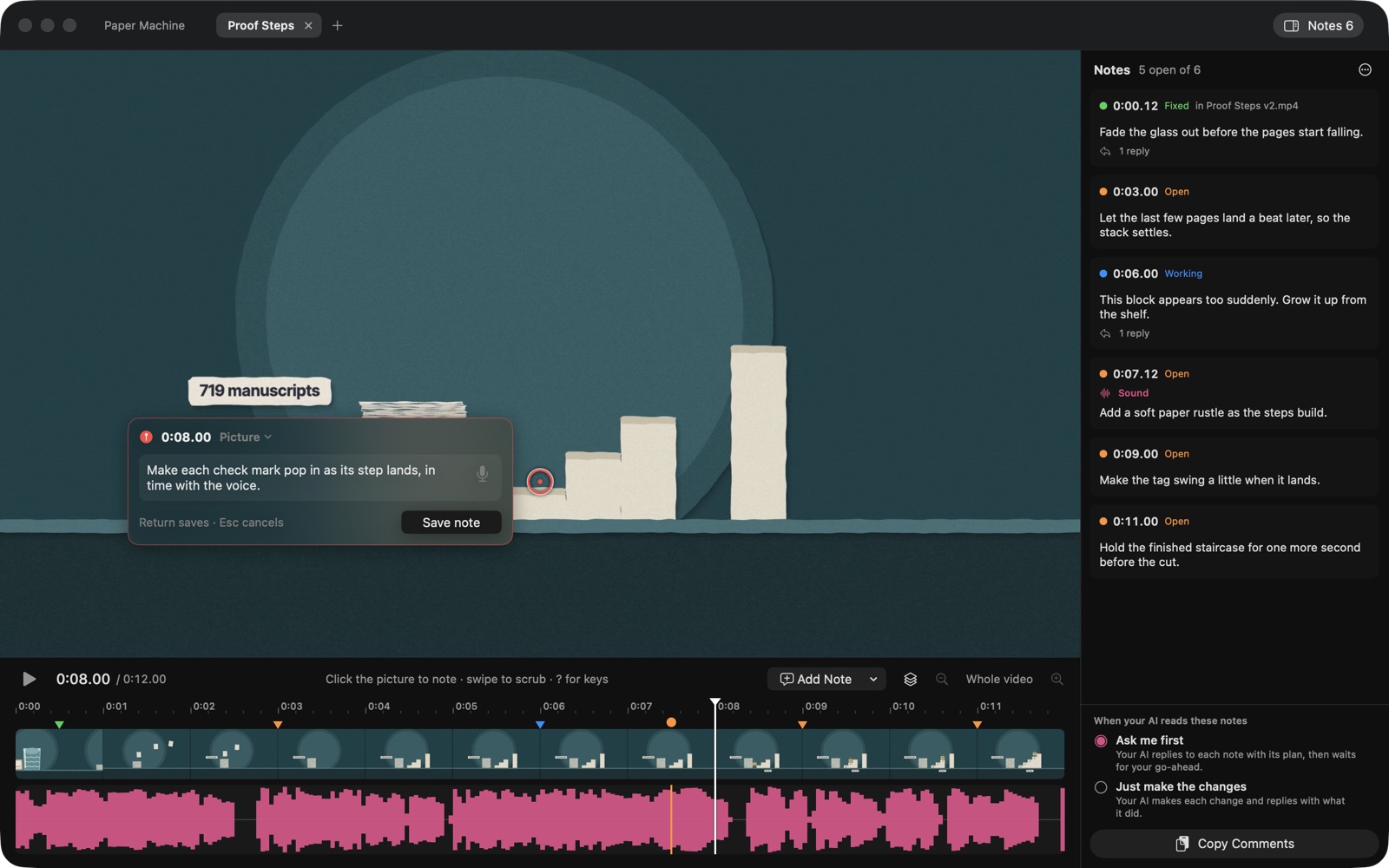
Point at the part of the video that needs changing and type the fix, or say it. Or just talk it through while you watch. Your AI gets every note with its time and the spot you clicked, so it never has to guess what "the bit near the start, top left" means.
How it works
Three steps, no editing software.
Open a video
On a Mac, drop it in or press Command O: each video gets its own tab. On iPhone, iPad and Vision Pro, add it from Photos or Files.
Point at what should change
Click or tap the video to pin a note to that spot on that frame, press N for a note at a moment, or comment on the sound. Speak it instead of typing and your device writes it down, or press Talk Through and just talk while you watch.
Hand it to your AI
Copy Comments gives ChatGPT, Claude or any AI one prompt with every note, its time and where in the video it points. Export Comments adds a still of each frame.
Made for working with an AI
Your notes, in a folder your AI can read.
Notes are saved beside the video, in a folder named after it (My Clip.notes): the notes themselves, a still of each frame you clicked, your voice recordings, any reference images, and a short README that tells an AI how to read and answer them.
Three ways your AI can work
Ask me first: it replies to each note with its plan and waits. Make the changes and explain: it makes a new version, opens it here and replies on each note. Just make the changes: it makes the new version and opens it, ready for your next round.
Round after round
When the next version opens, the notes from the one before sit underneath, clearly marked, with what your AI changed. Not right yet? Reply on the old note and it goes back to your AI.
Threads on every note
Tools that work on your files, such as Claude Code or Codex, reply right on the note. You see their answers appear while the app is open, and you can answer back.
Show, don't describe
Add a reference image to a note for "make it more like this". It is saved with the note and goes to your AI with it.
For Claude
Help, Install Claude Skill adds a skill that knows the notes format, for Claude Code or the Claude app.
Any AI
There is nothing to sign in to. A chat AI can tell you what to change in your editor; an AI that works on your files can make the changes itself.
Built for reviewing
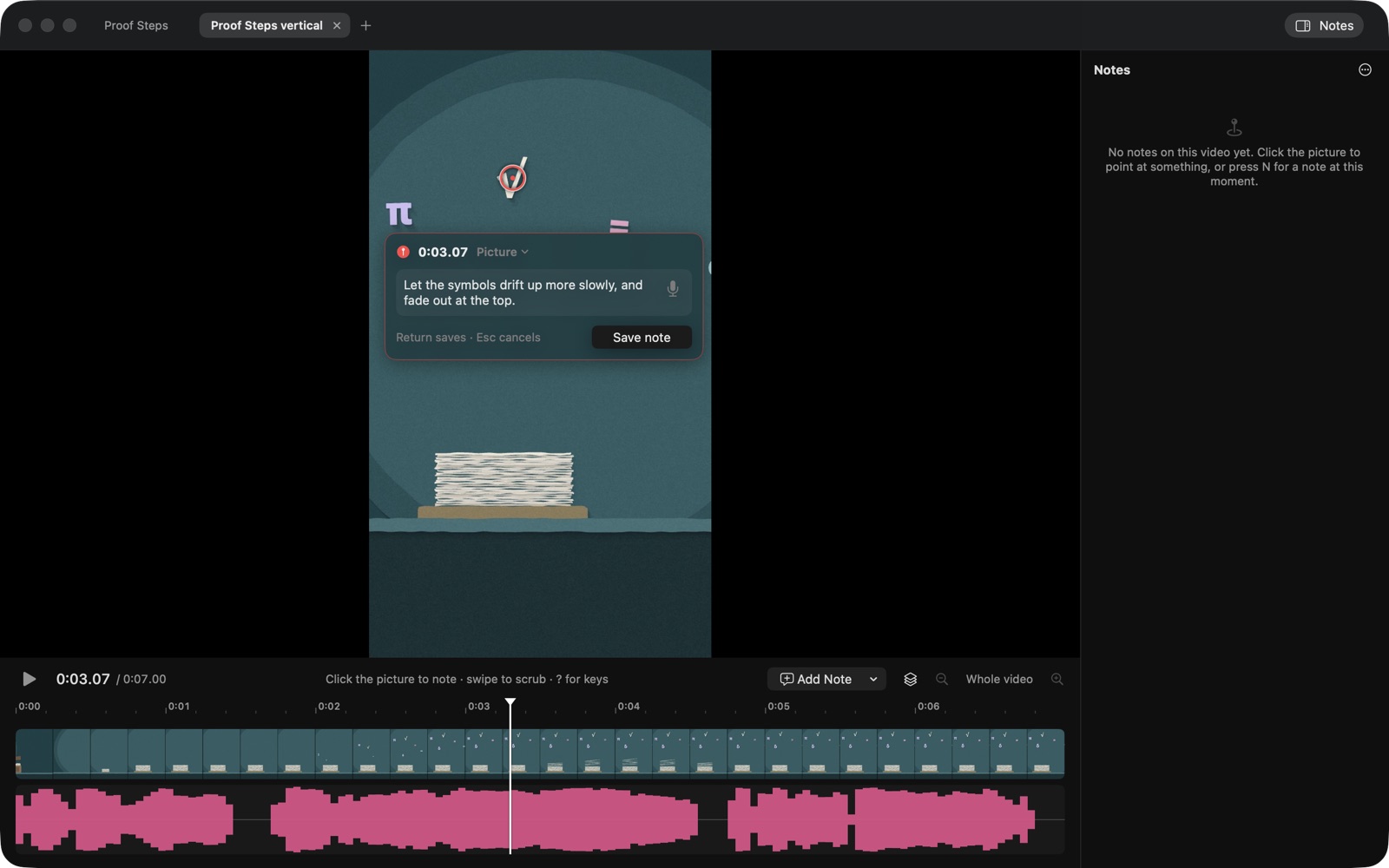
Frame by frame, wide or vertical.
A real timeline
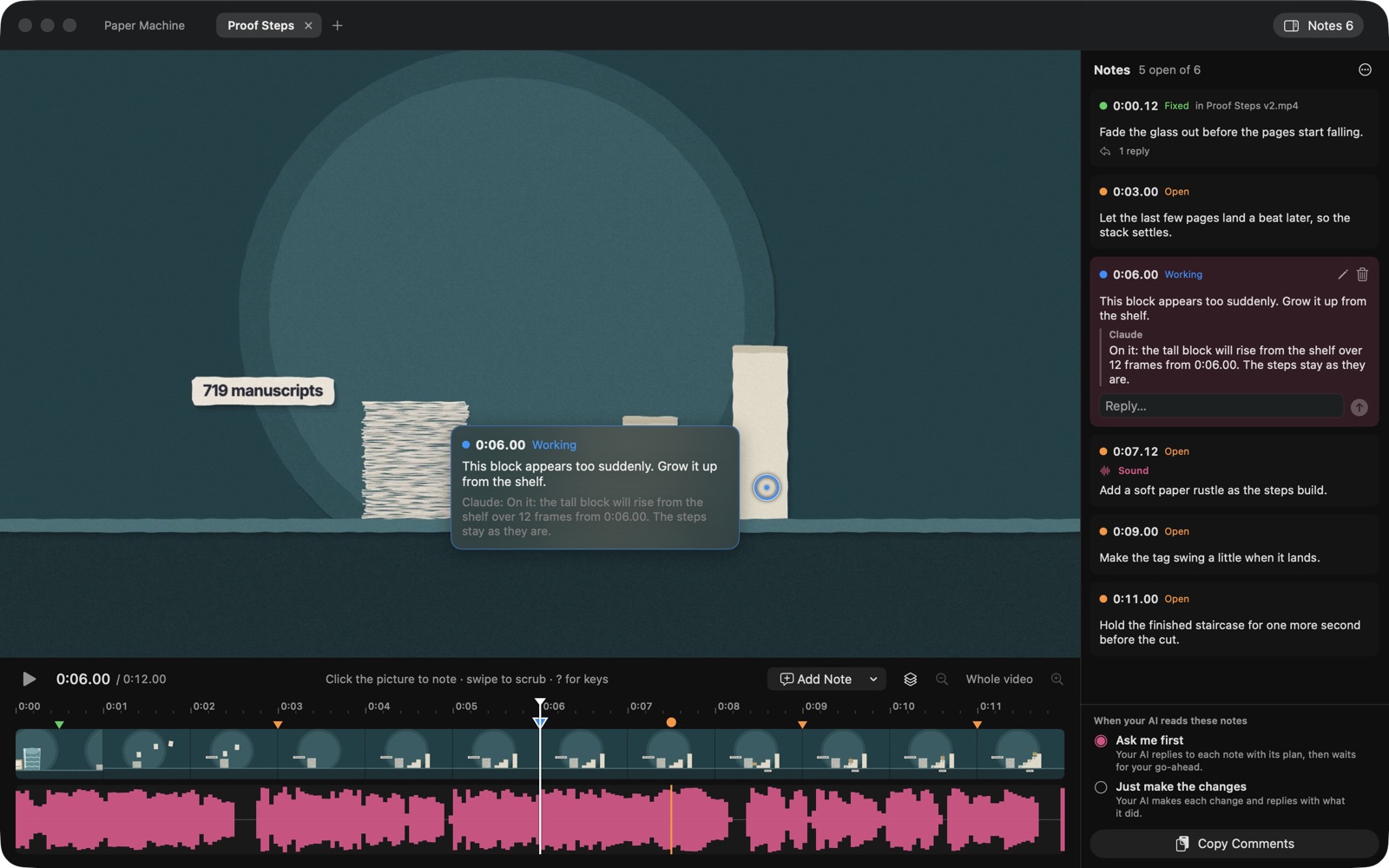
Thumbnails above the sound, zooming in until single frames fill the width, with every note marked on it.
Keys and gestures
Play, step a frame, jump, pick and set the status of notes from the keyboard. Swipe to scrub and pinch to zoom, or turn any gesture off.
Nothing is lost
Notes save as you go. A note you have not finished comes back the next time you open that video.
Price
Free for 14 days, then one payment.
Video Commenter is free to download. Start 14 free days to try everything; nothing is charged, now or when they end. Then one payment keeps it for good. There is no subscription, and your notes and videos always stay open and readable.
No account, no analytics, no tracking. The app downloads only a small notices file from this site. See the privacy policy.